
Alerts that tell the right people
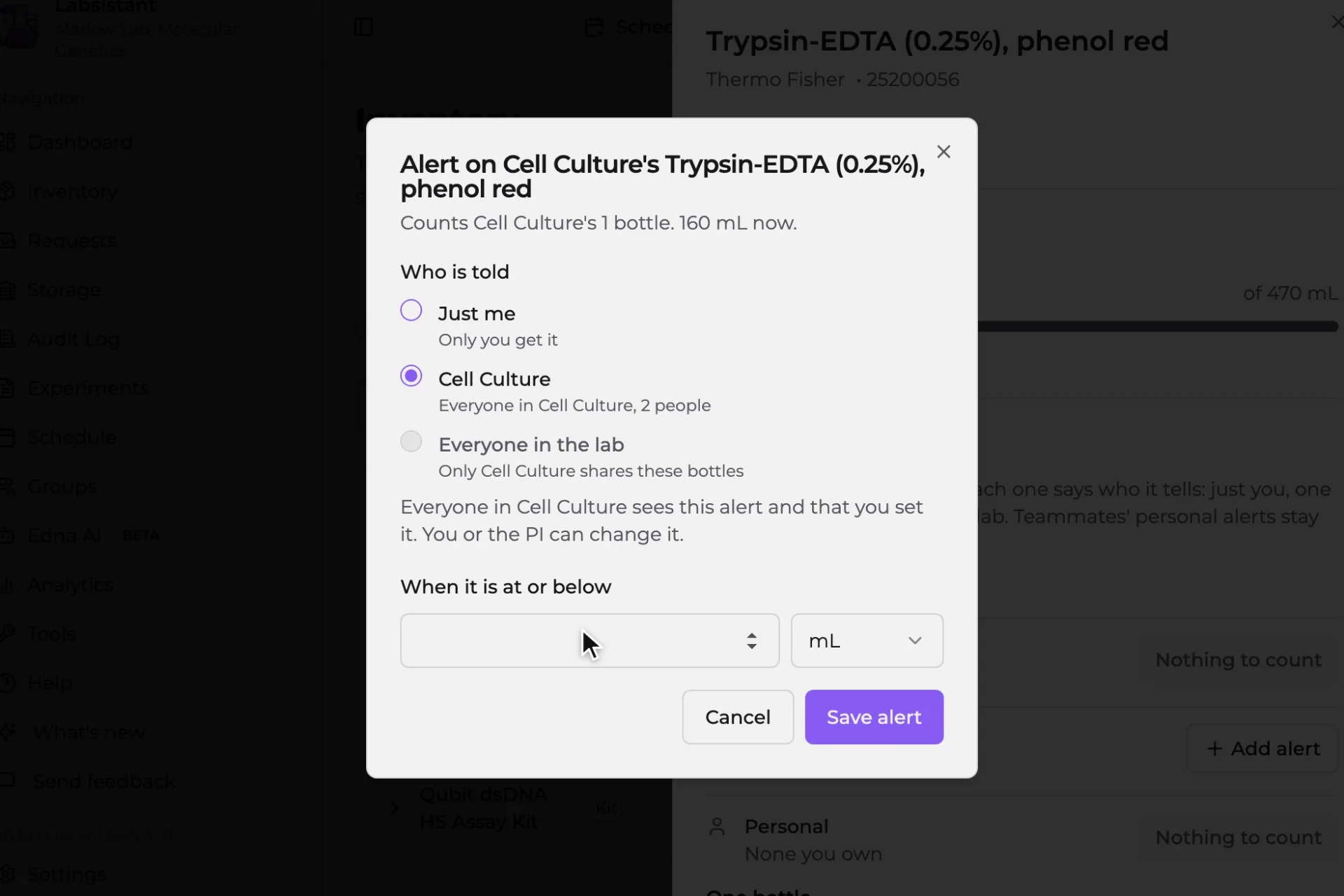
An item no longer has one low-stock number. You set an alert on a stock, such as the lab's ethanol, a group's or your own, or on a single bottle, and choose who it tells: just you, one of your groups, or everyone in the lab. Add alert is in the item panel's Alerts section and in each cell of Item totals. Add Reagent and Add Supply offer it as the bottle is added, and no longer ask for a threshold.
Needs attention gathers what is low or out of stock, on the dashboard and in the bell. From a row you can quiet it for yourself for a few days, or note that you have reordered so your colleagues can see it. On the Lab plan, stock that is on pace to run out is marked Running out, with how long it lasts at the current rate. Settings, Notifications has a Stock alerts section where you choose which of the alerts that tell you reach you, and see every alert you have quieted.
Alerts you set as you import
Set up your lab reads an Alert at column, or a Min qty, Reorder or Par level column, as the amount at which each item alerts. The review shows Alert at and Who is told for every row. Who is told starts from the row's share: a Shared Lab row tells the whole lab, a group row tells that group, and a Personal row tells just you. You can change either before you approve.
A lab with more than one PI
A lab can now have several PIs. One of them is the lab's owner, marked Owner on the Users page. The owner can hand ownership to another PI, and only the owner can change a PI's role or remove a PI.
Importing reads more of your file
Numbers with a decimal comma, a currency symbol or a unit in the same cell now import as you wrote them, and a quantity written in a different unit from the Unit column is converted. A date that could be read two ways waits for you to choose it, and the review shows what the file said beside it. Each kind of item has its own CSV template, so a supply or sample file keeps its columns. A supply row no longer waits for a lot number. If your file has no location column, you can place every row in one choice.
Saves that say what happened
When a save only partly lands, or the lab does not allow it, the app now tells you what actually happened instead of reporting success. Edna and document import leave a lot number, expiry or hazard blank when nobody gave one, so the record waits for you rather than carrying a made-up value.
Smaller changes
An item's QR label can be revoked from the item sheet by anyone who could make it, including a Junior Researcher on their own item. Cancelling a scheduled downgrade on the billing page now says so and clears the card. The person who scheduled an experiment run can now cancel it while it is In Progress, and reagent already pulled for it stays pulled. An open tab moves to the new version at your next page change, never in the middle of a save.